Munchbase
AI-powered recipe finder

Overview
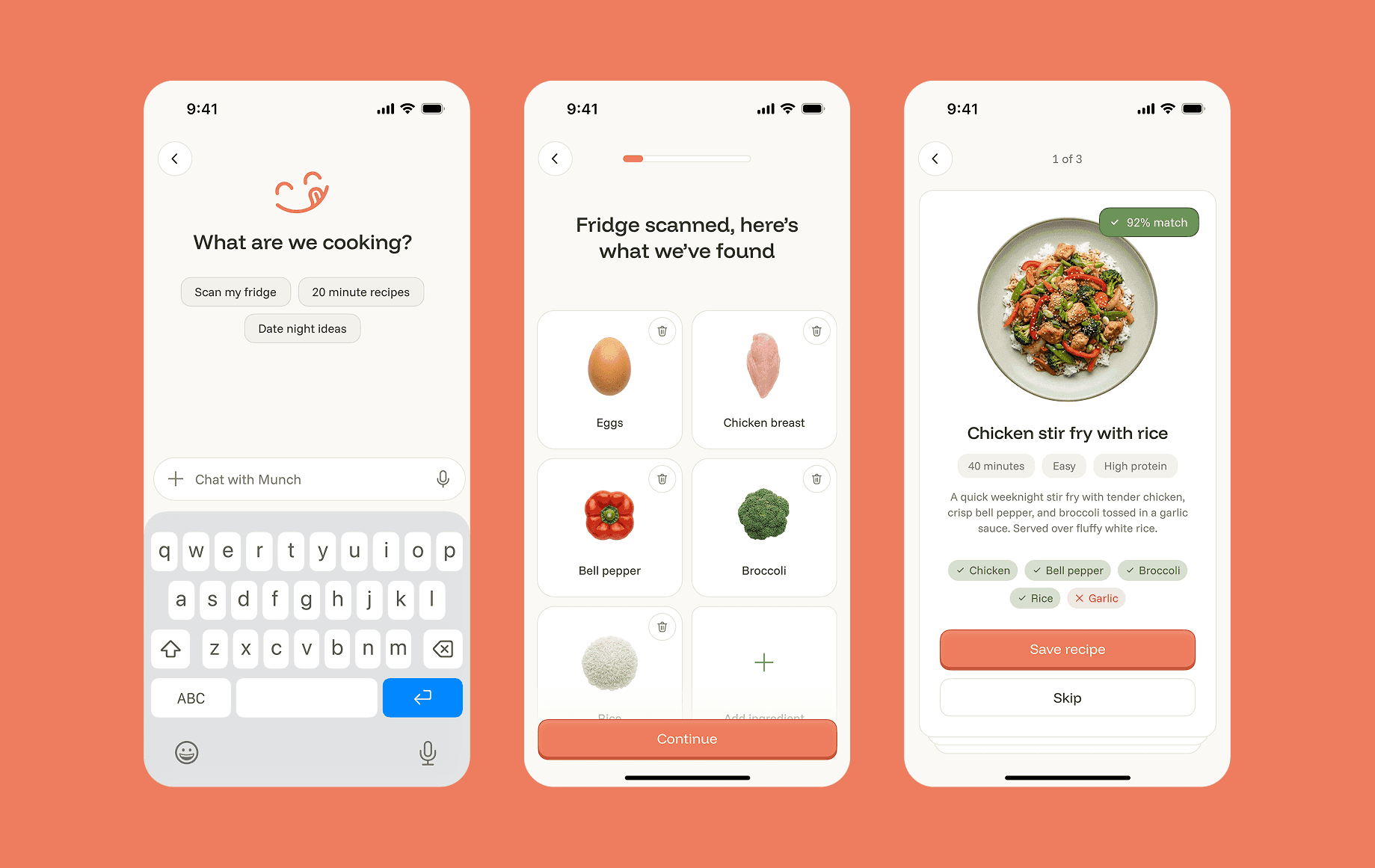
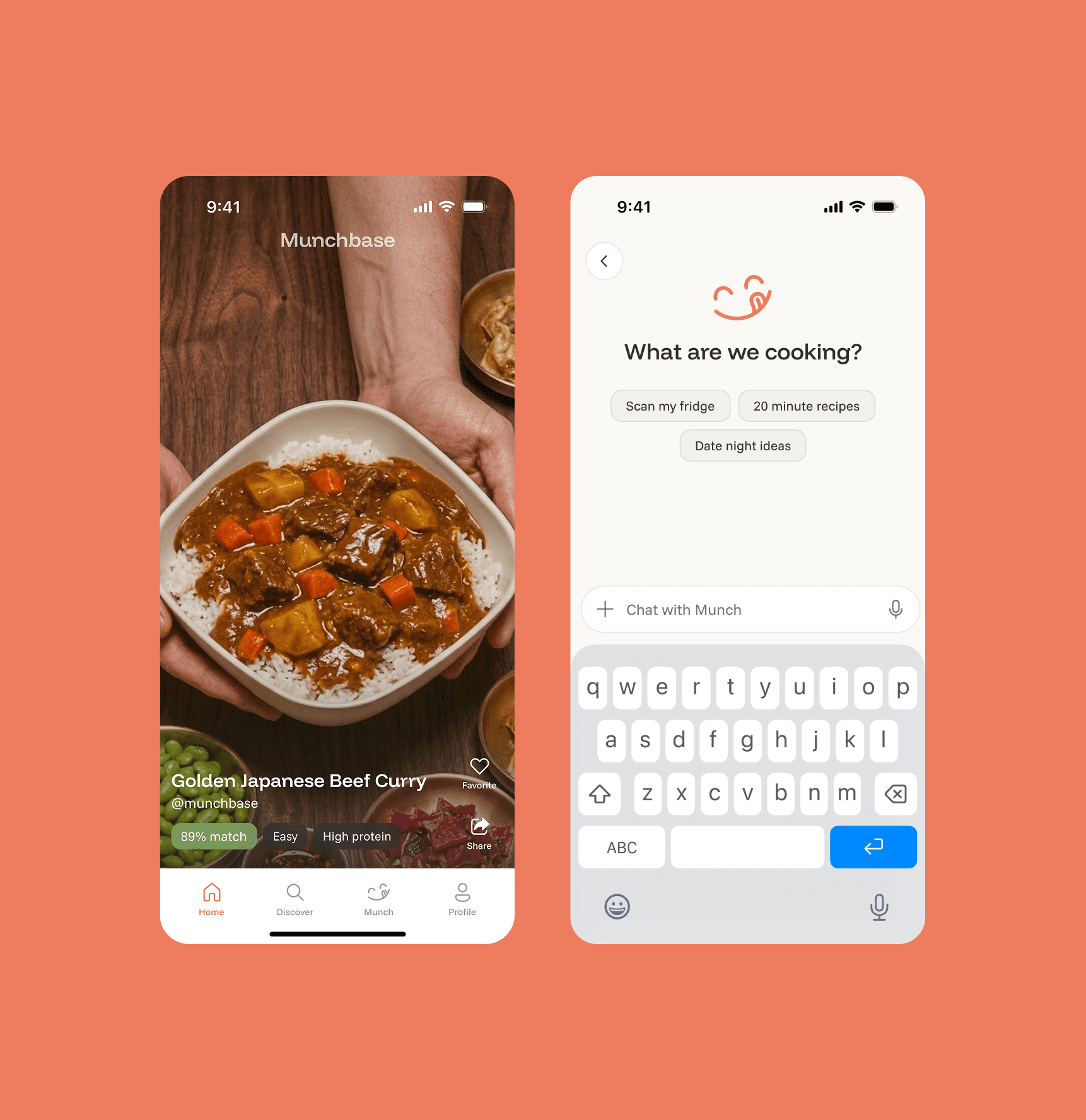
Munchbase is an upcoming iOS app launching on the App Store, an AI powered recipe discovery tool that turns your fridge into a personalized cookbook. Scan your fridge with your phone camera, and the app identifies every ingredient on your shelves. Set preferences like meal type, cooking time, and dietary needs, then get tailored recipes based on what you actually have. Beyond the scan, a full recipe database with filters, categories, and curated chef articles makes finding and learning new things effortless. Less waste, fewer grocery runs, more creativity with what's already in your kitchen.
Client
Melonloop
What I did
End-to-end Product Design
Timeline
Q1 2026
The Problem
Most recipe apps start from the wrong place. They show you thousands of dishes and leave you to figure out whether you actually have the ingredients. The result is a frustrating loop: find a recipe, check the fridge, realize you're missing half the list, and either give up or make yet another grocery run. Meanwhile, perfectly good food sits in your kitchen until it expires because you couldn't think of what to make with it in time.
The Solution
Munchbase is a recipe platform built around how people actually decide what to cook. Every recipe comes with the details that matter upfront: preparation time, difficulty level, and dietary tags like high protein, vegetarian, gluten free, and more, so you can filter down to exactly what fits your lifestyle and schedule without scrolling through hundreds of irrelevant results. The homepage is a full screen vertical feed of recipes and chef content you can browse passively for inspiration, while a dedicated discovery section lets you search by cuisine, cooking time, difficulty, and dietary preferences when you have something specific in mind.
And when you truly don't know where to start, Munch, the app's built in AI kitchen companion, lets you scan your fridge, identify what you have, and generate personalized recipe matches ranked by ingredient fit, served as swipeable cards you can save or skip in seconds. A complete recipe database with smart filters, curated content, and an AI layer that meets you wherever you are in the cooking decision.